Do I need to connect a backend?
Basic pages and extension events do not require your own server. Custom metrics and active checks require a data source.
 Ext Ops Panel
Stop rebuilding the same site, surveys and analytics for every project. Keep your extensions in view and spot problems early.
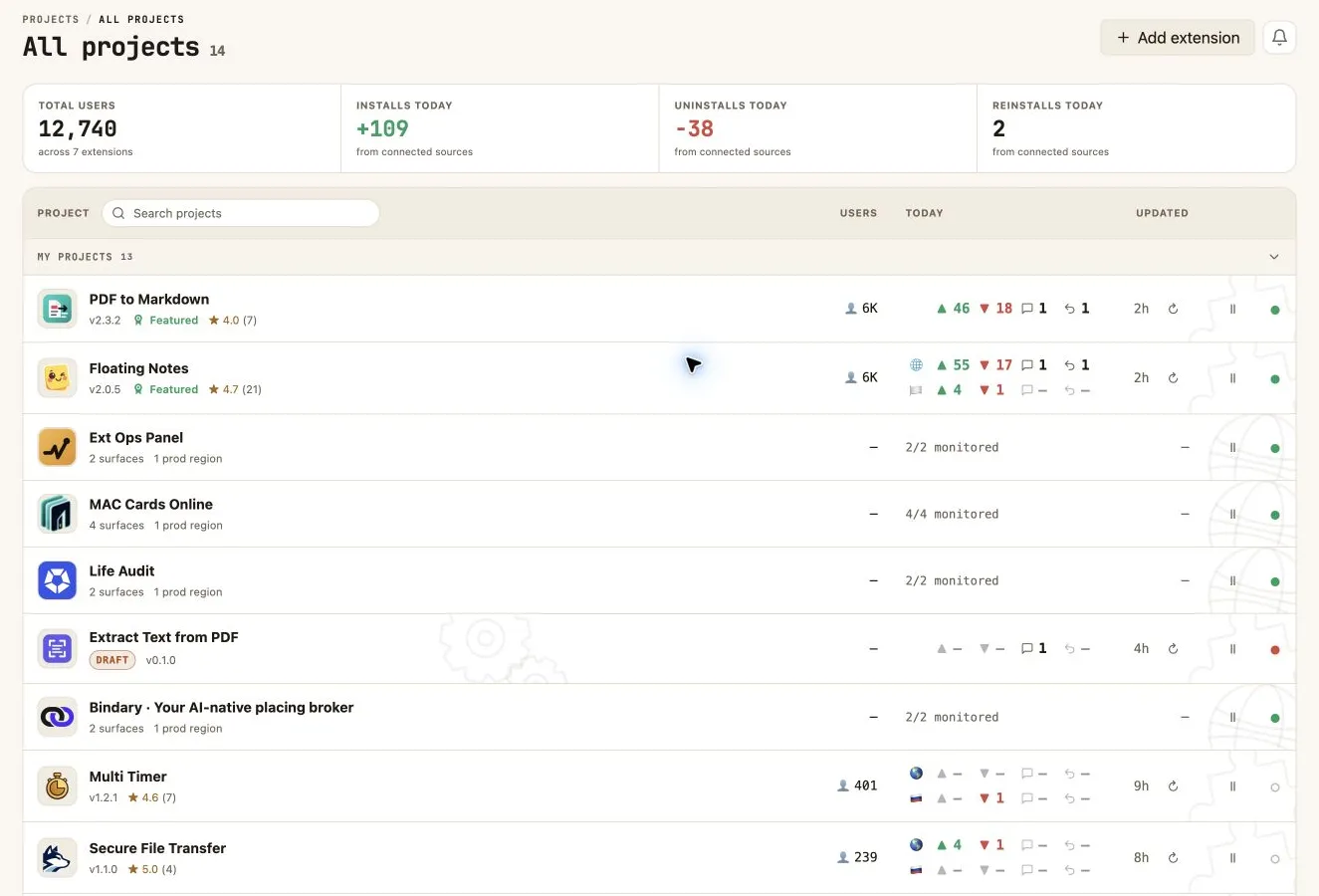
The hosted uninstall page collects reasons and comments. You can tailor a reply to each reason and offer a way back when the issue is resolved.
How feedback works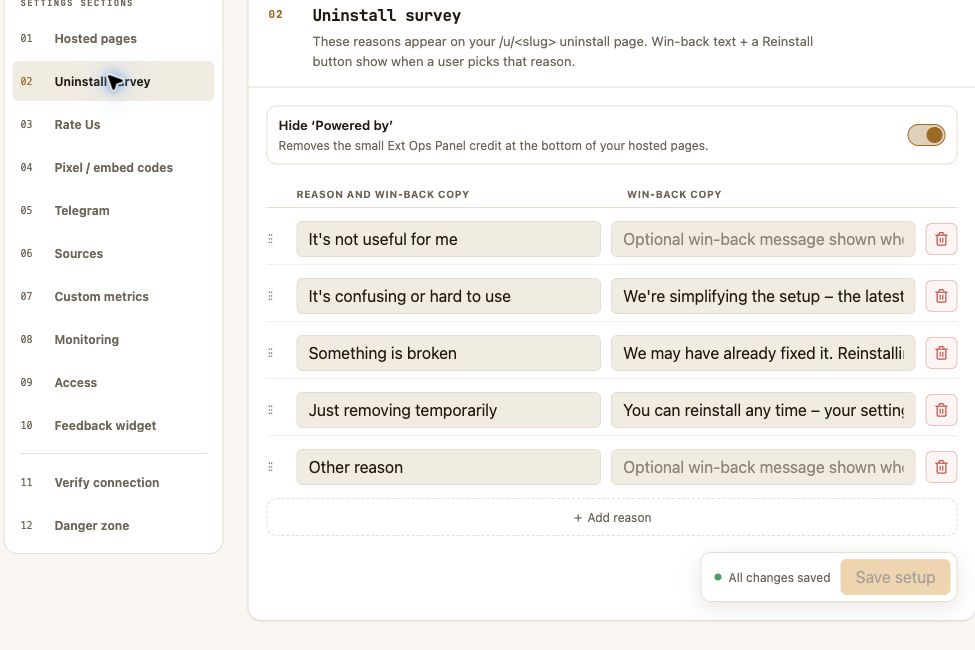
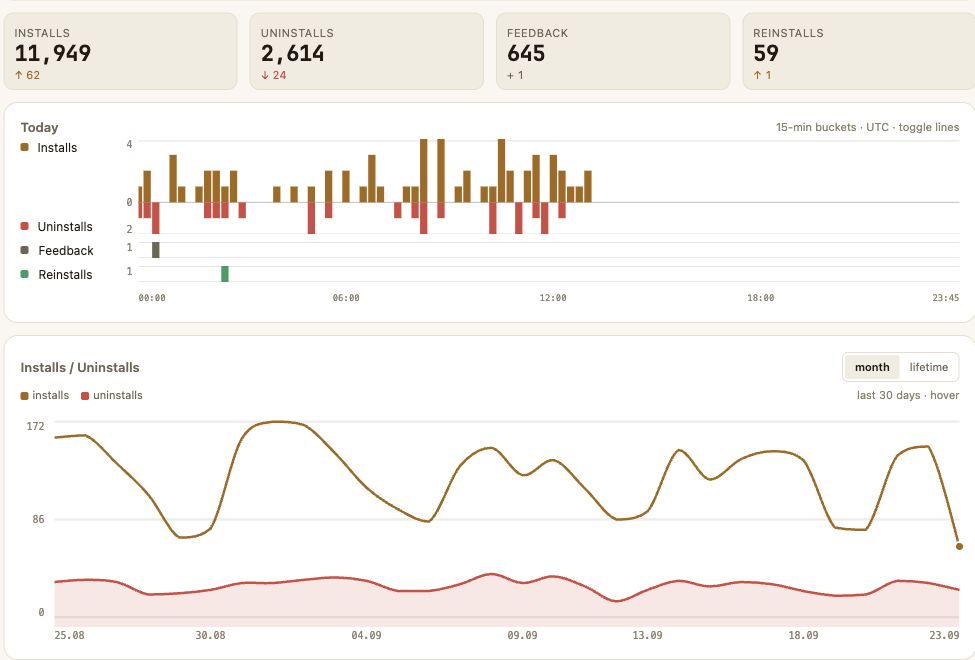
Track installs, uninstalls, reinstalls and feedback for each extension. Notifications flag new feedback or problems without constant dashboard checks.
Estimated installs and active user counts from the Chrome Web Store are different measures.
The panel can check your service and chart metrics from your endpoint. Set thresholds and notifications so you can respond to issues.
Monitoring Documentation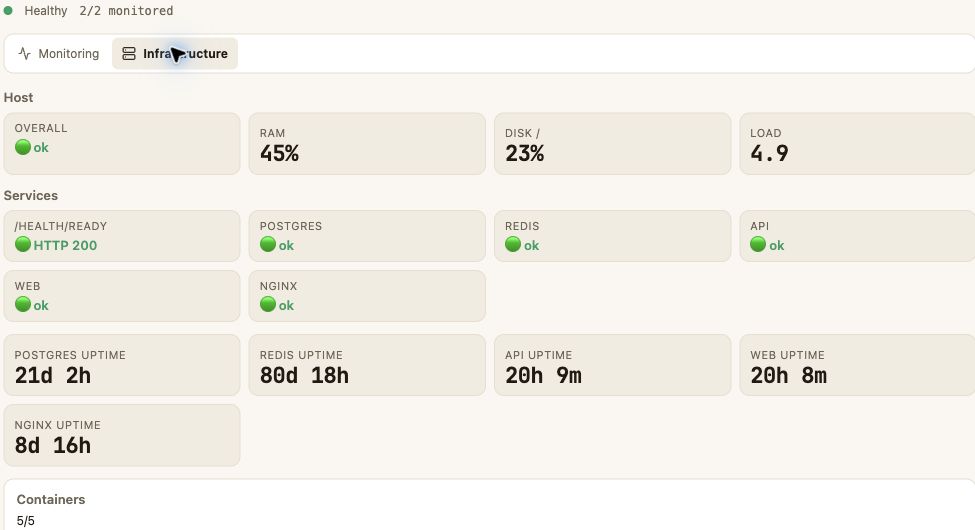
Market finds similar extensions by meaning and shows the history of their public metrics. Competitor data stays separate from your project events.
Open catalog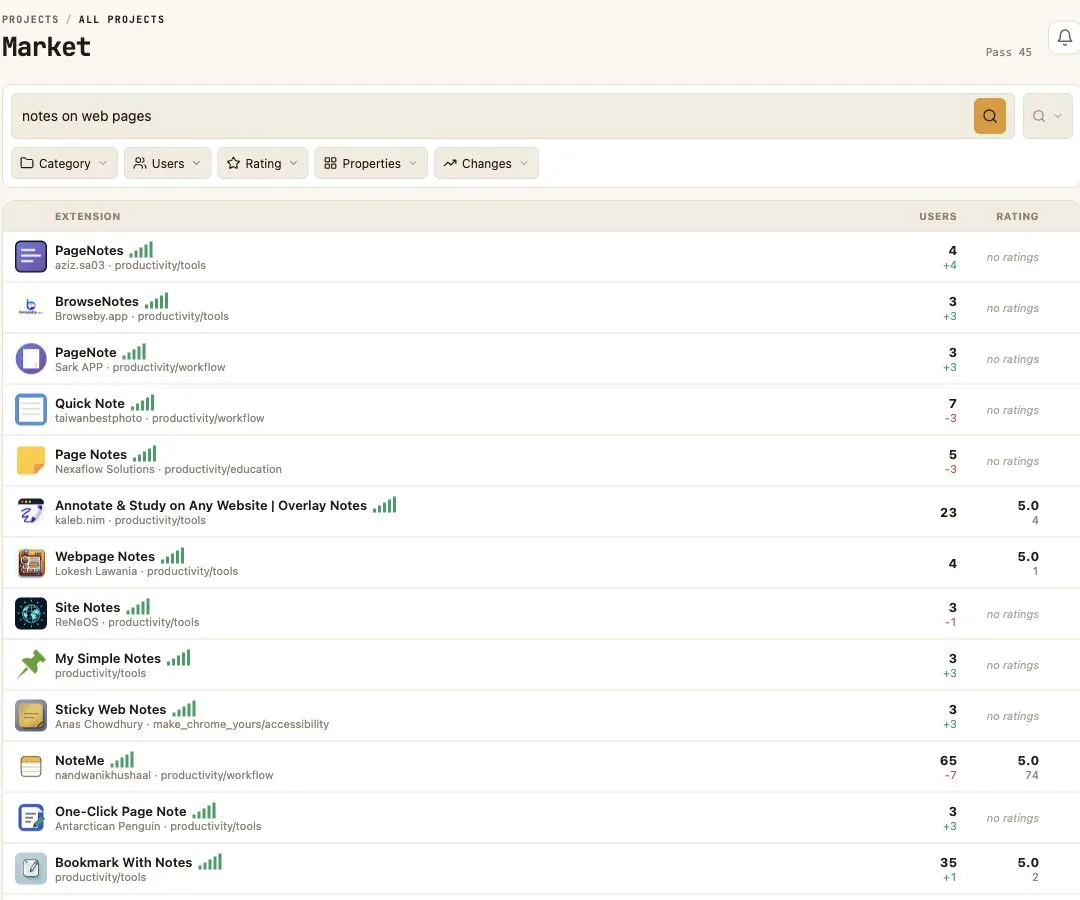
Basic pages and extension events do not require your own server. Custom metrics and active checks require a data source.
Install and uninstall events come from your configured extension flows. The store’s active user count is shown separately.
Yes. Market uses public Chrome Web Store data and keeps a history of changes to store listings.
Create a project or add a published extension. Settings and statistics will be in one panel.