Live statistics
01See every install and uninstall as it happens
First-party events build a clear history across extensions and sources.
Installs today+184
Uninstalls today−23
Reinstalls7
 Ext Ops Panel
 is Chrome extension analytics for installs, uninstalls, reinstalls and feedback as events arrive. You add the generated links and hooks to your extension and run Verify; from then on, every event lands in the dashboard. Start with one extension or keep an entire portfolio under control – no backend required.
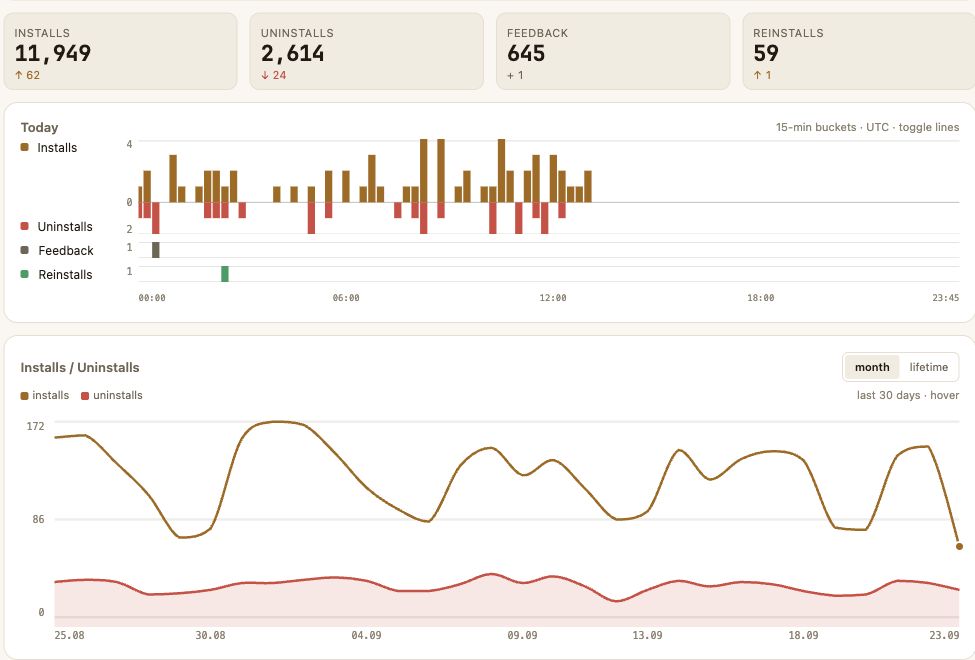
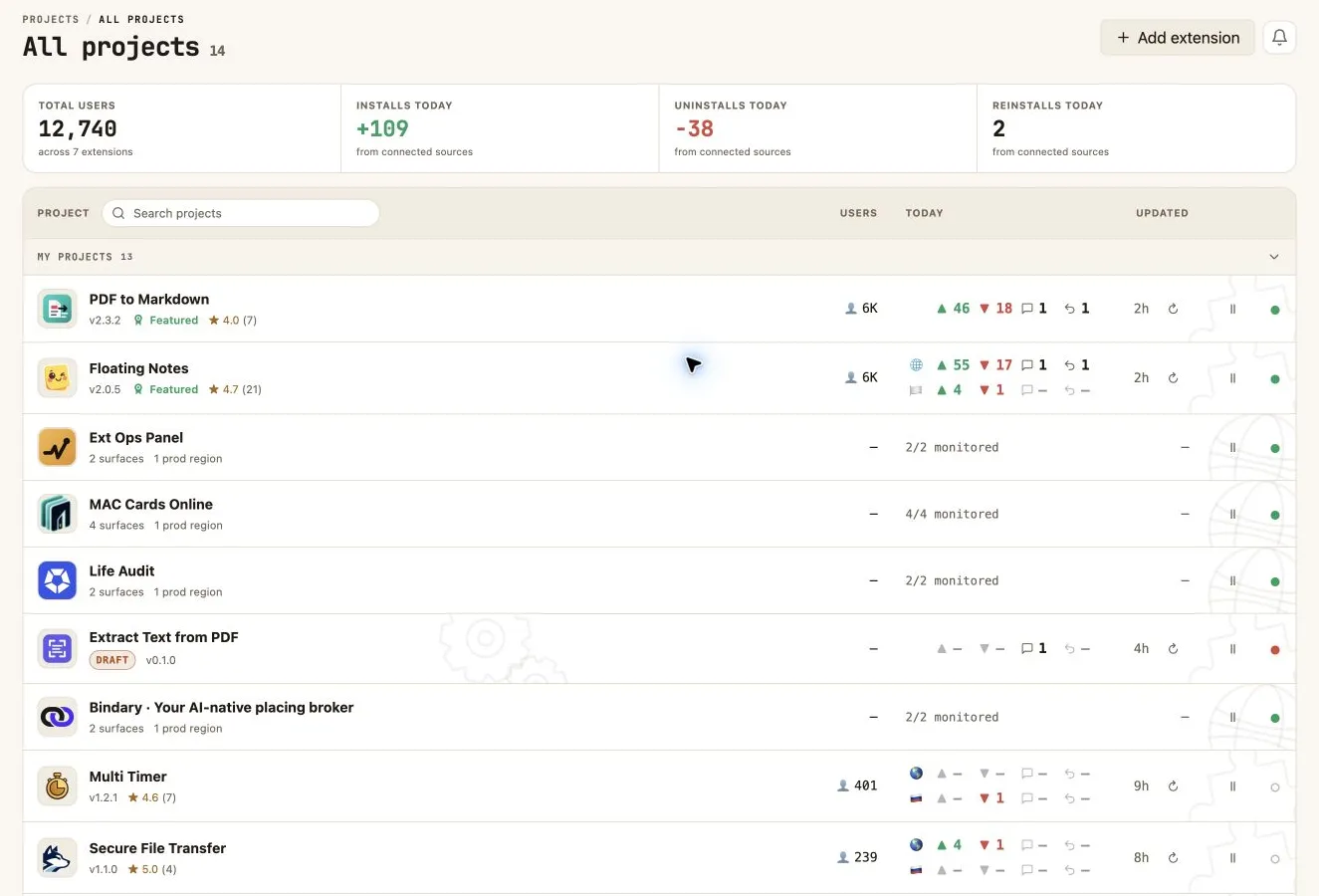
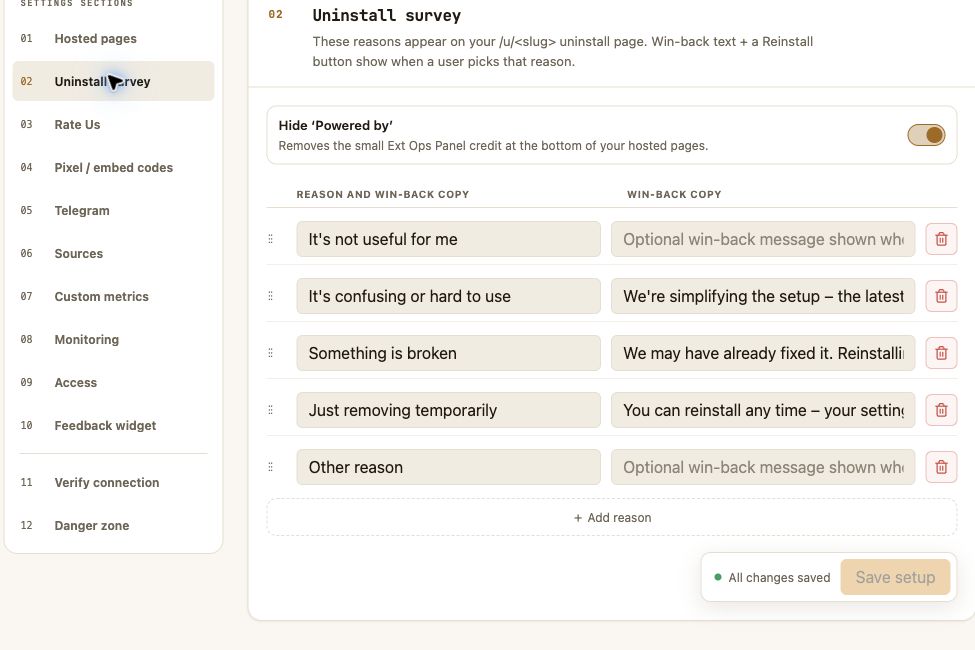
The panel hosts lifecycle pages, counts events and connects statistics with user feedback.
First-party events build a clear history across extensions and sources.
Configure both flows in the panel and add the generated links to your extension.
Collect reasons, answer objections and offer a relevant next step.
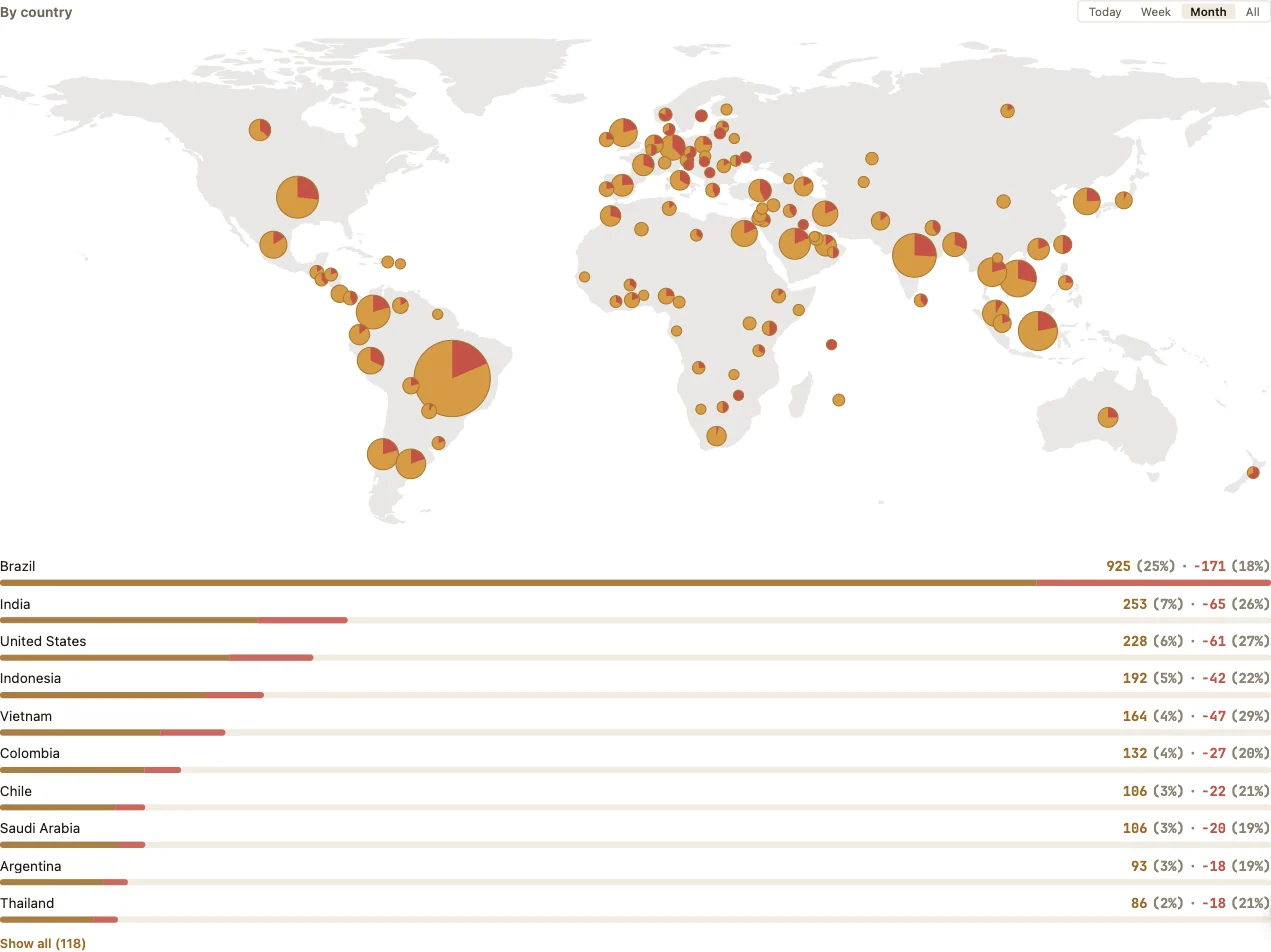
The map and the country list show installs next to uninstalls. Switch between today, the week, the month and all time.
The Chrome Web Store developer dashboard is free and you already have it. We are not a replacement for it, and this table says plainly where the line runs.
| What you want to know | Chrome Web Store dashboard | Ext Ops Panel |
|---|---|---|
| Installs and uninstalls | Yes, as daily figures | Yes, as events when they arrive |
| Weekly users and impressions | Yes | Store figures, read at least once a day |
| Why someone uninstalled | Not collected | Reasons and written feedback |
| A welcome and uninstall page | You host it yourself | Hosted, no backend of yours |
| Several extensions in one view | One listing at a time | Portfolio overview |
| Metrics from your own backend | Not supported | Custom metrics contract |
| Alerts when something breaks | Not supported | Monitoring plus in-app, Web Push and Telegram |
| Price | Free | Free for one extension |
Two different numbers. Installs, uninstalls and reinstalls here are events of your project: your extension reports them through the generated links and hooks, starting on the day you connect and run Verify. Weekly users is the figure the Chrome Web Store publishes for the listing. The panel shows it next to your events and never adds the two together.
Google also offers an opt-in Google Analytics 4 property on the listing. That answers questions about the store page; this panel answers questions about the installed extension and the people who removed it.
No hosting or page building: configure pages in the panel, add the generated links and hooks, then run Verify.
Name, icon, users and rating come from the Chrome Web Store.
Choose the welcome flow, uninstall reasons, responses and win-back action.
Add the generated links and hooks, run Verify to see each event arrive, then watch statistics in the dashboard.
Connect a backend endpoint, active URL checks or passive heartbeat. The panel notifies you on thresholds or loss of contact.
Open the same product view in Chrome, on the web or as an installed PWA. Your projects and signals stay together.
The Ext Ops Panel extension for Chrome. Install it from the Chrome Web Store.
The full dashboard in any modern browser.
Install the dashboard on desktop or mobile.
Plans are shown separately from the available product. Timing depends on validation and roadmap priorities.
The basic lifecycle works without your own server. Advanced metrics and monitoring can be added when your product needs them.
Read the integration guide →Yes. Ext Ops Panel hosts the welcome and uninstall pages, records their lifecycle events and shows them in the dashboard. You add the generated links and hooks to the extension and run Verify to check that each event arrives.
You get first-party lifecycle events as they arrive, one history for installs, uninstalls and reinstalls, plus optional uninstall reasons and written feedback.
Yes. Start with one extension for free, then use the portfolio view to scan daily changes and health across multiple projects.
Yes. Advanced integrations can bring custom KPIs, active URL checks and passive heartbeat monitoring into the same product view.
The dashboard works on the web and as an installable PWA. Its Chrome extension, Extension Analytics, installs from the Chrome Web Store and updates automatically; the native Android app is on the roadmap.
One click adds it to Chrome, and Chrome keeps it up to date. Your projects open in a popup or the side panel, next to your work.
Connect one extension, configure the pages and get your first events in a clear dashboard.