
Ext Ops Panel banners
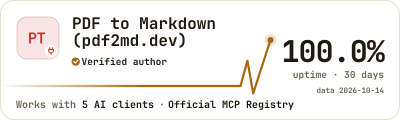
Every Chrome extension and AI plugin listed in our catalog has a banner that anyone can put on a site or in a README. It says "Listed on Ext Ops Panel", shows a few live public facts from the catalog and links to the product's card. When the product's verified author turns it on, the same banner says "Verified author on Ext Ops Panel" instead.


1. What the banner is
The banner is an image from extops.dev inside a link to the product's card in our catalog. It works like the "Featured on" badges of other catalogs, with two differences: its facts come from our catalog, dated by the pass they were read in, and the "Verified author" wording appears only when the product's verified author chooses to show it.
- Four styles: Pulse Run, Amber Slab, Terminal Pro and Insignia.
- Five formats, from a 28-pixel badge for a row in a README to a 300×250 tile for a sidebar.
- Four themes: light, dark, brand amber and auto, which follows the reader's color scheme.
- SVG for sites and READMEs, PNG for places that accept only raster images.
There is no script and no cookie: your page loads one image from extops.dev, and a click opens the card. The text on the banner is in English; the card it links to can be in any of six languages.
Every extension also keeps its small listing badge, /extensions/<id>/badge.svg, a 20-pixel line with users and rating. The banner is the larger, designed version, for extensions and plugins alike.
2. Who can embed it
Anyone, for any extension or plugin listed in our catalog: its developer, a reviewer, a blog that recommends it. No account and no sign-up: take the address from section 5 and the snippet from section 6. On a product without a verified author who has turned the mark on, the banner says "Listed on Ext Ops Panel".
A product that has left its store or marketplace, or that our catalog does not know, gets the neutral plate: our logo only, in the same size and theme. The page that embeds it keeps its layout, and no outdated facts stay on it.

3. The verified author mark
If you are the author, you can turn the same banner into "Verified author on Ext Ops Panel". It takes two steps: prove that you control the product, then turn on the switch "Publish me as the author". Both need a signed-in account, not an anonymous device, and work on every plan, including Free. The address and the snippet stay the same: banners already embedded anywhere change their wording by themselves.
Chrome extension
Add the extension to a project and mark yourself as its author ("I'm the author"). Then, in the project's Verified author block, choose one way to prove it:
- Website domain. Your store listing names your website, and only the owner of the listing can change it in the developer dashboard. Publish the value we give you as a DNS TXT record at
_extops.<your domain>, or as the file/.well-known/extops-challenge.txton that site. Either one is enough. - Verified domain. If one of your web services on Ext Ops Panel already has a verified domain that covers the listing's website, the claim uses it, with nothing new to publish.
- Line in the description. For a listing without a website of its own, or with one on a shared platform, add the line
extops-verify=<value>anywhere in the listing's description and check once the store has published the update. This is a one-time proof: after verification you can remove the line.
The value is valid for 14 days. We look for it every hour on the first day and every 6 hours after that, and you can also check at once. A domain proof is checked again every 30 days, so keep the record or the file in place: 3 failed checks in a row end the verification. It also ends when the listing changes its publisher, when a domain-proven listing changes its website, or when another account proves control later; the previous owner is notified.
AI plugin
Add the plugin to a project ("Add an AI plugin") and prove that you maintain it in one of four ways:
- the file
extops-verify.txtwith the value at the root of the plugin's GitHub repository; - the file
/.well-known/extops-challenge.txton the publisher's domain or on the host of the remote endpoint; - a DNS TXT record at
_extops.<domain>; - a domain already verified for one of your web services.
Mirrors and shared hosts prove nothing. The same check every 30 days applies.
Consent: one switch per product
Verification alone changes nothing in public. In the project, the switch "Publish me as the author" turns on, for that product, the "Verified author on Ext Ops Panel" mark on its public card and on every banner, and, for a plugin, the 30-day availability measured by your own monitoring. It is off by default.
Only the fact of verification becomes public: not your account, name, contacts or how you proved it. Turning the switch off, or a verification that ends, takes effect at once on our side: the banner goes back to "Listed on Ext Ops Panel", and copies already cached by browsers or GitHub follow within 6 hours.
What the mark means, and what it does not, is explained on the methodology page: Verified authors.
4. Gallery: choose a style, a format and a theme
Pick a style and a theme to see all five formats. "Example" is the image our server draws for PDF to Markdown, the MCP server of this site's author, from the catalog data of 2026-10-14. "Live from extops.dev" is the real address of the same banner, loaded now, with today's facts.
The author of PDF to Markdown has verified it and turned the mark on, so these banners say "Verified author". On any other listed product, the same style, format and theme say "Listed on Ext Ops Panel" in the same place.
Auto follows the color scheme of the reader's system, not this site's switch.
badge 28 px high · a row of badges in a README, a footer line


/plugins/mcp/dev.pdf2md/pdf-to-markdown/banner/pulse-run/badge-light.svg
pill 250×54 · a site header or footer, an "As seen on" row


/plugins/mcp/dev.pdf2md/pdf-to-markdown/banner/pulse-run/pill-light.svg
card 400×120 · under the title of a README, a "where we are mentioned" block

/plugins/mcp/dev.pdf2md/pdf-to-markdown/banner/pulse-run/card-light.svg
wide 728×90 · a full-width site header or footer, a README strip


/plugins/mcp/dev.pdf2md/pdf-to-markdown/banner/pulse-run/wide-light.svg
tile 300×250 · a blog or docs sidebar
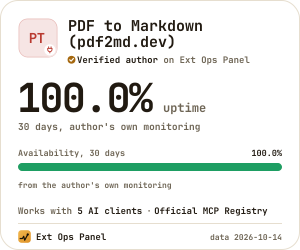
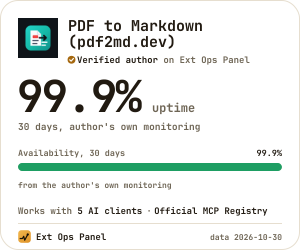
/plugins/mcp/dev.pdf2md/pdf-to-markdown/banner/pulse-run/tile-light.svg
badge 28 px high · a row of badges in a README, a footer line


/plugins/mcp/dev.pdf2md/pdf-to-markdown/banner/pulse-run/badge-dark.svg
pill 250×54 · a site header or footer, an "As seen on" row


/plugins/mcp/dev.pdf2md/pdf-to-markdown/banner/pulse-run/pill-dark.svg
card 400×120 · under the title of a README, a "where we are mentioned" block

/plugins/mcp/dev.pdf2md/pdf-to-markdown/banner/pulse-run/card-dark.svg
wide 728×90 · a full-width site header or footer, a README strip


/plugins/mcp/dev.pdf2md/pdf-to-markdown/banner/pulse-run/wide-dark.svg
tile 300×250 · a blog or docs sidebar
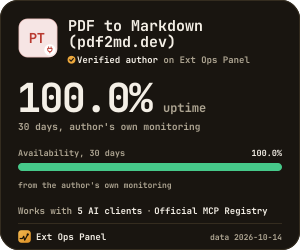
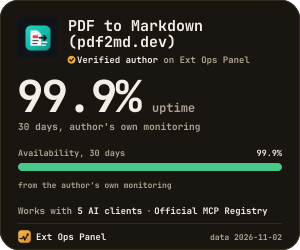
/plugins/mcp/dev.pdf2md/pdf-to-markdown/banner/pulse-run/tile-dark.svg
badge 28 px high · a row of badges in a README, a footer line


/plugins/mcp/dev.pdf2md/pdf-to-markdown/banner/pulse-run/badge-brand.svg
pill 250×54 · a site header or footer, an "As seen on" row


/plugins/mcp/dev.pdf2md/pdf-to-markdown/banner/pulse-run/pill-brand.svg
card 400×120 · under the title of a README, a "where we are mentioned" block
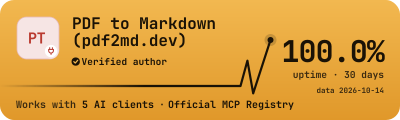

/plugins/mcp/dev.pdf2md/pdf-to-markdown/banner/pulse-run/card-brand.svg
wide 728×90 · a full-width site header or footer, a README strip


/plugins/mcp/dev.pdf2md/pdf-to-markdown/banner/pulse-run/wide-brand.svg
tile 300×250 · a blog or docs sidebar
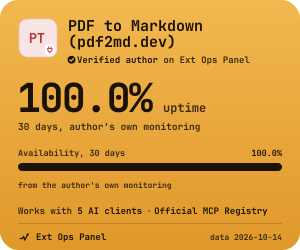

/plugins/mcp/dev.pdf2md/pdf-to-markdown/banner/pulse-run/tile-brand.svg
badge 28 px high · a row of badges in a README, a footer line

/plugins/mcp/dev.pdf2md/pdf-to-markdown/banner/pulse-run/badge-auto.svg
pill 250×54 · a site header or footer, an "As seen on" row

/plugins/mcp/dev.pdf2md/pdf-to-markdown/banner/pulse-run/pill-auto.svg
card 400×120 · under the title of a README, a "where we are mentioned" block

/plugins/mcp/dev.pdf2md/pdf-to-markdown/banner/pulse-run/card-auto.svg
wide 728×90 · a full-width site header or footer, a README strip

/plugins/mcp/dev.pdf2md/pdf-to-markdown/banner/pulse-run/wide-auto.svg
tile 300×250 · a blog or docs sidebar

/plugins/mcp/dev.pdf2md/pdf-to-markdown/banner/pulse-run/tile-auto.svg
badge 28 px high · a row of badges in a README, a footer line


/plugins/mcp/dev.pdf2md/pdf-to-markdown/banner/amber-slab/badge-light.svg
pill 250×54 · a site header or footer, an "As seen on" row
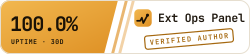

/plugins/mcp/dev.pdf2md/pdf-to-markdown/banner/amber-slab/pill-light.svg
card 400×120 · under the title of a README, a "where we are mentioned" block
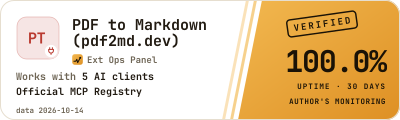

/plugins/mcp/dev.pdf2md/pdf-to-markdown/banner/amber-slab/card-light.svg
wide 728×90 · a full-width site header or footer, a README strip


/plugins/mcp/dev.pdf2md/pdf-to-markdown/banner/amber-slab/wide-light.svg
tile 300×250 · a blog or docs sidebar
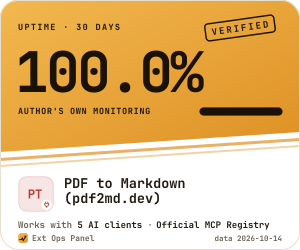

/plugins/mcp/dev.pdf2md/pdf-to-markdown/banner/amber-slab/tile-light.svg
badge 28 px high · a row of badges in a README, a footer line


/plugins/mcp/dev.pdf2md/pdf-to-markdown/banner/amber-slab/badge-dark.svg
pill 250×54 · a site header or footer, an "As seen on" row


/plugins/mcp/dev.pdf2md/pdf-to-markdown/banner/amber-slab/pill-dark.svg
card 400×120 · under the title of a README, a "where we are mentioned" block
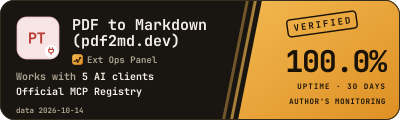

/plugins/mcp/dev.pdf2md/pdf-to-markdown/banner/amber-slab/card-dark.svg
wide 728×90 · a full-width site header or footer, a README strip


/plugins/mcp/dev.pdf2md/pdf-to-markdown/banner/amber-slab/wide-dark.svg
tile 300×250 · a blog or docs sidebar
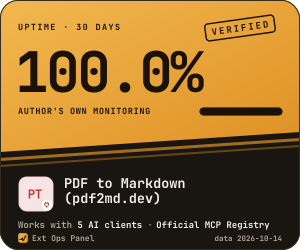

/plugins/mcp/dev.pdf2md/pdf-to-markdown/banner/amber-slab/tile-dark.svg
badge 28 px high · a row of badges in a README, a footer line


/plugins/mcp/dev.pdf2md/pdf-to-markdown/banner/amber-slab/badge-brand.svg
pill 250×54 · a site header or footer, an "As seen on" row


/plugins/mcp/dev.pdf2md/pdf-to-markdown/banner/amber-slab/pill-brand.svg
card 400×120 · under the title of a README, a "where we are mentioned" block


/plugins/mcp/dev.pdf2md/pdf-to-markdown/banner/amber-slab/card-brand.svg
wide 728×90 · a full-width site header or footer, a README strip


/plugins/mcp/dev.pdf2md/pdf-to-markdown/banner/amber-slab/wide-brand.svg
tile 300×250 · a blog or docs sidebar


/plugins/mcp/dev.pdf2md/pdf-to-markdown/banner/amber-slab/tile-brand.svg
badge 28 px high · a row of badges in a README, a footer line

/plugins/mcp/dev.pdf2md/pdf-to-markdown/banner/amber-slab/badge-auto.svg
pill 250×54 · a site header or footer, an "As seen on" row

/plugins/mcp/dev.pdf2md/pdf-to-markdown/banner/amber-slab/pill-auto.svg
card 400×120 · under the title of a README, a "where we are mentioned" block

/plugins/mcp/dev.pdf2md/pdf-to-markdown/banner/amber-slab/card-auto.svg
wide 728×90 · a full-width site header or footer, a README strip

/plugins/mcp/dev.pdf2md/pdf-to-markdown/banner/amber-slab/wide-auto.svg
tile 300×250 · a blog or docs sidebar

/plugins/mcp/dev.pdf2md/pdf-to-markdown/banner/amber-slab/tile-auto.svg
badge 28 px high · a row of badges in a README, a footer line

/plugins/mcp/dev.pdf2md/pdf-to-markdown/banner/terminal-pro/badge-light.svg
pill 250×54 · a site header or footer, an "As seen on" row


/plugins/mcp/dev.pdf2md/pdf-to-markdown/banner/terminal-pro/pill-light.svg
card 400×120 · under the title of a README, a "where we are mentioned" block
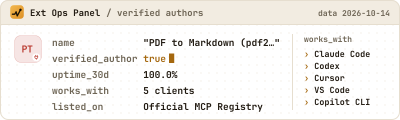

/plugins/mcp/dev.pdf2md/pdf-to-markdown/banner/terminal-pro/card-light.svg
wide 728×90 · a full-width site header or footer, a README strip


/plugins/mcp/dev.pdf2md/pdf-to-markdown/banner/terminal-pro/wide-light.svg
tile 300×250 · a blog or docs sidebar
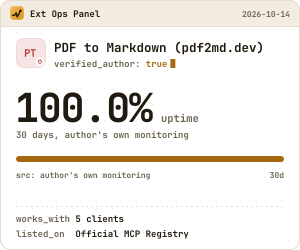
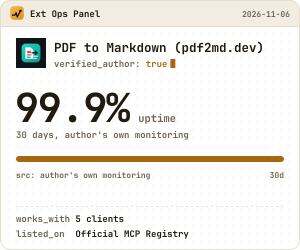
/plugins/mcp/dev.pdf2md/pdf-to-markdown/banner/terminal-pro/tile-light.svg
badge 28 px high · a row of badges in a README, a footer line


/plugins/mcp/dev.pdf2md/pdf-to-markdown/banner/terminal-pro/badge-dark.svg
pill 250×54 · a site header or footer, an "As seen on" row


/plugins/mcp/dev.pdf2md/pdf-to-markdown/banner/terminal-pro/pill-dark.svg
card 400×120 · under the title of a README, a "where we are mentioned" block
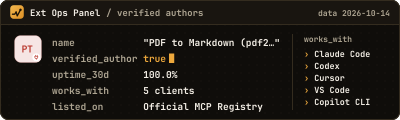

/plugins/mcp/dev.pdf2md/pdf-to-markdown/banner/terminal-pro/card-dark.svg
wide 728×90 · a full-width site header or footer, a README strip


/plugins/mcp/dev.pdf2md/pdf-to-markdown/banner/terminal-pro/wide-dark.svg
tile 300×250 · a blog or docs sidebar
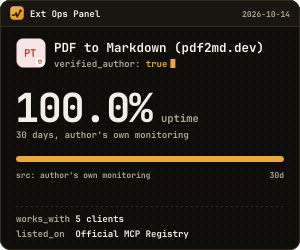

/plugins/mcp/dev.pdf2md/pdf-to-markdown/banner/terminal-pro/tile-dark.svg
badge 28 px high · a row of badges in a README, a footer line


/plugins/mcp/dev.pdf2md/pdf-to-markdown/banner/terminal-pro/badge-brand.svg
pill 250×54 · a site header or footer, an "As seen on" row


/plugins/mcp/dev.pdf2md/pdf-to-markdown/banner/terminal-pro/pill-brand.svg
card 400×120 · under the title of a README, a "where we are mentioned" block


/plugins/mcp/dev.pdf2md/pdf-to-markdown/banner/terminal-pro/card-brand.svg
wide 728×90 · a full-width site header or footer, a README strip


/plugins/mcp/dev.pdf2md/pdf-to-markdown/banner/terminal-pro/wide-brand.svg
tile 300×250 · a blog or docs sidebar
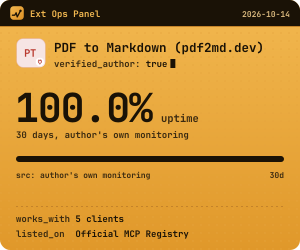

/plugins/mcp/dev.pdf2md/pdf-to-markdown/banner/terminal-pro/tile-brand.svg
badge 28 px high · a row of badges in a README, a footer line

/plugins/mcp/dev.pdf2md/pdf-to-markdown/banner/terminal-pro/badge-auto.svg
pill 250×54 · a site header or footer, an "As seen on" row

/plugins/mcp/dev.pdf2md/pdf-to-markdown/banner/terminal-pro/pill-auto.svg
card 400×120 · under the title of a README, a "where we are mentioned" block

/plugins/mcp/dev.pdf2md/pdf-to-markdown/banner/terminal-pro/card-auto.svg
wide 728×90 · a full-width site header or footer, a README strip

/plugins/mcp/dev.pdf2md/pdf-to-markdown/banner/terminal-pro/wide-auto.svg
tile 300×250 · a blog or docs sidebar

/plugins/mcp/dev.pdf2md/pdf-to-markdown/banner/terminal-pro/tile-auto.svg
badge 28 px high · a row of badges in a README, a footer line


/plugins/mcp/dev.pdf2md/pdf-to-markdown/banner/insignia/badge-light.svg
pill 250×54 · a site header or footer, an "As seen on" row


/plugins/mcp/dev.pdf2md/pdf-to-markdown/banner/insignia/pill-light.svg
card 400×120 · under the title of a README, a "where we are mentioned" block
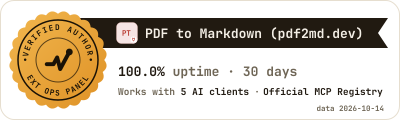

/plugins/mcp/dev.pdf2md/pdf-to-markdown/banner/insignia/card-light.svg
wide 728×90 · a full-width site header or footer, a README strip


/plugins/mcp/dev.pdf2md/pdf-to-markdown/banner/insignia/wide-light.svg
tile 300×250 · a blog or docs sidebar
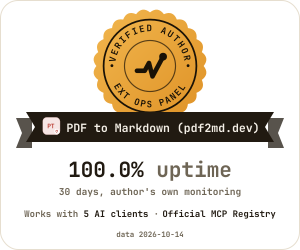
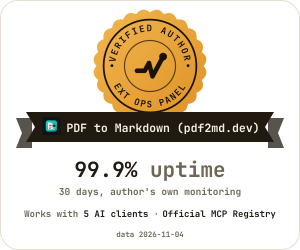
/plugins/mcp/dev.pdf2md/pdf-to-markdown/banner/insignia/tile-light.svg
badge 28 px high · a row of badges in a README, a footer line


/plugins/mcp/dev.pdf2md/pdf-to-markdown/banner/insignia/badge-dark.svg
pill 250×54 · a site header or footer, an "As seen on" row

/plugins/mcp/dev.pdf2md/pdf-to-markdown/banner/insignia/pill-dark.svg
card 400×120 · under the title of a README, a "where we are mentioned" block
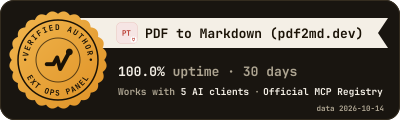

/plugins/mcp/dev.pdf2md/pdf-to-markdown/banner/insignia/card-dark.svg
wide 728×90 · a full-width site header or footer, a README strip


/plugins/mcp/dev.pdf2md/pdf-to-markdown/banner/insignia/wide-dark.svg
tile 300×250 · a blog or docs sidebar
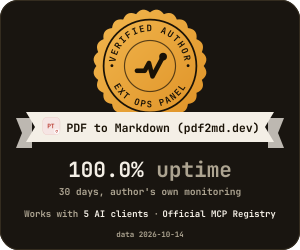

/plugins/mcp/dev.pdf2md/pdf-to-markdown/banner/insignia/tile-dark.svg
badge 28 px high · a row of badges in a README, a footer line


/plugins/mcp/dev.pdf2md/pdf-to-markdown/banner/insignia/badge-brand.svg
pill 250×54 · a site header or footer, an "As seen on" row


/plugins/mcp/dev.pdf2md/pdf-to-markdown/banner/insignia/pill-brand.svg
card 400×120 · under the title of a README, a "where we are mentioned" block


/plugins/mcp/dev.pdf2md/pdf-to-markdown/banner/insignia/card-brand.svg
wide 728×90 · a full-width site header or footer, a README strip


/plugins/mcp/dev.pdf2md/pdf-to-markdown/banner/insignia/wide-brand.svg
tile 300×250 · a blog or docs sidebar
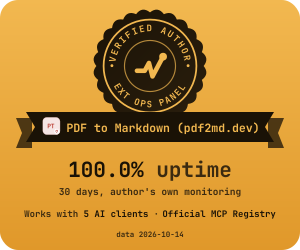

/plugins/mcp/dev.pdf2md/pdf-to-markdown/banner/insignia/tile-brand.svg
badge 28 px high · a row of badges in a README, a footer line

/plugins/mcp/dev.pdf2md/pdf-to-markdown/banner/insignia/badge-auto.svg
pill 250×54 · a site header or footer, an "As seen on" row

/plugins/mcp/dev.pdf2md/pdf-to-markdown/banner/insignia/pill-auto.svg
card 400×120 · under the title of a README, a "where we are mentioned" block

/plugins/mcp/dev.pdf2md/pdf-to-markdown/banner/insignia/card-auto.svg
wide 728×90 · a full-width site header or footer, a README strip

/plugins/mcp/dev.pdf2md/pdf-to-markdown/banner/insignia/wide-auto.svg
tile 300×250 · a blog or docs sidebar

/plugins/mcp/dev.pdf2md/pdf-to-markdown/banner/insignia/tile-auto.svg
5. The banner address
https://extops.dev/extensions/<extension-id>/banner/<style>/<format>-<theme>.<svg|png>
https://extops.dev/plugins/<family>/<key>/banner/<style>/<format>-<theme>.<svg|png>| Part | Values | Notes |
|---|---|---|
<extension-id> | 32 letters | The Chrome Web Store id of the extension, the same as in the address of its card. |
<family>/<key> | mcp/dev.pdf2md/pdf-to-markdown | The address of the plugin's card. Another listing of the same product redirects to it. |
<style> | pulse-run, amber-slab, terminal-pro, insignia | The design. The panel starts with Pulse Run. |
<format> | badge, pill, card, wide, tile | The size, see the table below. |
<theme> | light, dark, brand, auto | auto exists only in SVG. |
| extension | svg, png | PNG is drawn at twice the size, for sharp screens. |
The address works for any extension or plugin listed in our catalog. It takes no parameters. Anything after ? is ignored, so a cache buster such as ?v=2 does no harm and selects nothing. An unknown style, format or theme, or auto with .png, answers 404 with a small neutral plate.
| Format | Size, CSS pixels | Facts | Where it fits |
|---|---|---|---|
badge | 28 high, as wide as its text (about 200 to 300) | the main fact | a row of badges in a README, a footer line |
pill | 250×54 | the main fact | a site header or footer, an "As seen on" row, a docs sidebar |
card | 400×120 | the main fact, 2 more and the date | under the title of a README, a "where we are mentioned" block |
wide | 728×90 | the main fact, 3 more and the date | a full-width site header or footer, a strip in a README |
tile | 300×250 | a large main fact, a chart or a bar, 2 more and the date | a blog or docs sidebar |
lightanddark: for light and dark sites.brand: the amber gradient, where the banner should stand out.auto: light or dark by the reader's system color scheme. A good default for a GitHub README, which readers open in both.
SVG or PNG? Use SVG wherever it is accepted: it stays sharp at any zoom, supports auto and a short one-time draw of the pulse line, only for readers whose system allows motion. Use PNG where a site builder or a platform takes only raster images; for a light and dark pair in PNG, use <picture> below.
6. Snippets
Here are the snippets for PDF to Markdown. For another product, replace the address of the card and of the image with its own, and the name in title and alt. A verified author gets them ready-made, with the product's name and address filled in, in the Banner section of their project.
HTML for a site
<a href="https://extops.dev/extensions/kodhbjmmdeofaecpblbfeoceglmedfmd" title="PDF to Markdown on Ext Ops Panel">
  <img src="https://extops.dev/extensions/kodhbjmmdeofaecpblbfeoceglmedfmd/banner/pulse-run/pill-light.svg" alt="PDF to Markdown: verified author on Ext Ops Panel" width="250" height="54">
</a>
Markdown for a README
[](https://extops.dev/plugins/mcp/dev.pdf2md/pdf-to-markdown)Markdown cannot set a width, so it suits badge and pill. For card, wide and tile, put the HTML snippet into the README: GitHub accepts it.
A light and dark pair in PNG
<a href="https://extops.dev/plugins/mcp/dev.pdf2md/pdf-to-markdown" title="PDF to Markdown (pdf2md.dev) on Ext Ops Panel">
  <picture>
    <source media="(prefers-color-scheme: dark)" srcset="https://extops.dev/plugins/mcp/dev.pdf2md/pdf-to-markdown/banner/insignia/card-dark.png">
    <img src="https://extops.dev/plugins/mcp/dev.pdf2md/pdf-to-markdown/banner/insignia/card-light.png" alt="PDF to Markdown (pdf2md.dev): verified author on Ext Ops Panel" width="400" height="120">
  </picture>
</a>
Direct links
For a site builder that takes only an image and a link, copy the image address (SVG, or PNG of the chosen theme) and the card address separately.
Options
- Open in a new tab: adds
target="_blank" rel="noopener"to the link. - Add
rel="nofollow": for sites whose policy asks for it. - Card language: the link can open the card in English (the default) or in German, Spanish, French, Portuguese or Russian.
Both options are off by default. The link goes to the card's canonical address with no parameters: tracking tags such as UTM would only add a redirect, because the card answers any parameter with a redirect to its clean address. Keep the width and height, so the page does not jump while the image loads. In alt, write the product name and what the banner says, nothing more: <name>: listed on Ext Ops Panel, or <name>: verified author on Ext Ops Panel once the author has turned the mark on.
7. What the banner shows
Only public facts from the product's card, dated by our last catalog pass. Nothing from paid analysis: no 90-day history, no list of similar products, no position of our own making. No figure means no slot: a fact the store or marketplace does not publish is left out, never shown as zero, and its place goes to the next fact in the list.
The pride rule: a banner is something to show off, so a fact appears only when it passes a floor. A fall in users, a rating under 4.0 or availability under 99% is not shown; the slot goes to the next fact, and the full picture stays on the card the banner links to.
| Chrome extension, in order | Shown when |
|---|---|
| Position: "#N trending this week" or "#N in <category>" | the extension stands in that public list, under the same number |
| Users and their growth over 7 days | the store publishes users; the growth only when positive and with a 7-day baseline |
| Rating with the number of ratings | at least 4.0 from at least 3 ratings |
| No site access | the manifest declares no access to sites |
| The store's own badges, Featured and Established publisher | the listing has them; as text, without Google's marks |
| Version and its update date | updated within the last 90 days |
| Manifest V3 | the extension uses Manifest V3 |
| AI plugin, in order | Shown when |
|---|---|
| Position: "#N trending this week" | the plugin stands in the public trending list |
| Availability over 30 days, from the author's own monitoring | only with the verified author's consent; at least 99.0% with at least 24 hours known |
| Works with N AI clients | at least one client; their names are in the image's description |
| GitHub stars | at least 10 |
| Weekly downloads on npm or PyPI | at least 10; registries are never added up |
| Listed on N marketplaces, or the name of the one marketplace | always when listed; the count from 2 marketplaces |
| Version, with its update date | the date only when within the last 90 days |
The main fact is the first one in the list that passes. How many more fit depends on the format (section 5). The tile of an extension also draws its users over 30 days; the tile of a plugin draws its availability bar. If nothing passes, the banner shows the product name and "Listed on Ext Ops Panel" or "Verified author on Ext Ops Panel". The complete text of the facts and the date of the data are in the image's accessible name, for screen readers and search engines.
A name the banner font cannot draw, such as Chinese or Arabic script, is set in the reader's system font in SVG; in PNG it is replaced by "Chrome extension · <category>" or the plugin type, and the full name stays in alt. A long name is shortened with "…".
8. Updates and caching
- The extension catalog reads the Chrome Web Store up to twice a day, the plugin catalog reads the marketplaces once a day, and the availability from your own monitoring is updated every hour.
- A banner is cached for 6 hours (
Cache-Control: public, max-age=21600, plusstale-while-revalidatefor 24 hours). Browsers and GitHub's image proxy keep it for the same time, so a new figure reaches your page within about 6 hours of our pass. - When the author turns the mark on or off, the banner changes at once on our side; cached copies follow within 6 hours. The neutral plate is cached for 1 hour.
- Every banner has an
ETag; a repeat request withIf-None-Matchgets 304 and nothing is redrawn. - You never need to change the snippet: the address stays the same, and the facts behind it change by themselves.
9. Privacy
- The banner shows only the product and its public facts, plus the verified mark when the author turned it on. Never an account, a name, an e-mail, contacts or how authorship was proved.
- The catalog and the banners do not store or pass on contact details of developers from store listings or plugin manifests. When we read a listing's description to find your verification line, we look only for that line and keep neither the text nor anything else from it.
- For the verified author's statistics in the Banner section, we count requests for the banner per product, format and day, and visits to the card from other sites per product and day. We do not keep IP addresses, browsers, page addresses or the sites the visits come from. Search engines and our own site are not counted as other sites.
- The banner sets no cookie and runs no script on your page.
- The banner image is
noindexfor search engines and is not in our sitemap.
Details: Privacy policy.
10. FAQ
Can I put a banner for a product that is not mine?
Yes. Any listed extension or plugin has one, for reviews, lists and recommendations. It says "Listed on Ext Ops Panel"; only the product's verified author can make it say "Verified author".
Why does my banner say "Listed" and not "Verified author"?
One of two things is missing: a verified claim, or the switch "Publish me as the author". The Banner section of your project says which one. Once both are on, the banner changes by itself, with no new snippet.
Why does a banner show only the logo?
The product is not in our catalog, or its listing has left the store or the marketplace. The plate keeps the size and the theme, so the page layout holds.
Can I change the text, the colors or the language?
Choose among the four styles and four themes. The text is in English in every style and has no language variants, the same as the listing badge. The card the banner links to can open in any of six languages.
Does a banner change my place in the catalog?
No. Verified products are not raised in lists, search, hubs or curated sets, and the banner is not a rating.
Does it cost anything?
No. Embedding a banner needs no account at all. The verified author mark is part of every plan, including Free, and needs an account.
What happens if my verification ends?
The banner goes back to "Listed on Ext Ops Panel" at once on our side; copies already cached by browsers or GitHub follow within 6 hours. Prove control again, and with the switch still on, the mark comes back on its own.
Can I download the image and host it myself?
You would lose the live facts and the date, and the copy would keep its wording when the mark changes. Embed the address from extops.dev instead.
Why is a figure different from the store?
The banner shows the figure of our last pass, cached up to 6 hours. The store rounds users itself, and some figures appear only above a floor (section 7).